EZCast OTA 11601 firmware upgrade on Tronsmart T1000


What's New in EZCast firmware version 11601 (2014-04-02)
1. Simplify UI and EZCast / DLNA/ EZAir auto on once power on. You can use wifi display fubction directly once power on.
2. Add boot / start default setting to allow users to configure boot to EZCast or boot to EZMirror.
3. Support iOS mirroring for iOS6.x & iOS7.x.
4. FixiOS EZAir discovery.
5. Enlarge subtitles fonts.
6. Support *.ssa subtitle files (of the same file name as video file)
7. Improve Miracast compatibility for Sony Z series.
8. Change the HDCP rules for Miracast.
9. Modify language translations for Swedish, Turkish, Dutch and Danish.
10. Fix video playback issues for 1080 24p display.
11. Improve DLNA & Miracast compatibility.
12. Fix minor bugs.
13. A new tab in Setting --> 'Default Mode' (see the pictures below)

To manually upgrade EZCast firmware on Tronsmart T1000 to 11468 version read this article. Download the latest version of EZCast applications from here.


The Android application also upgraded from 1.1.159 to 1.1.182 version (2014-04-03)

What's New in EZCast Android version 1.1.182 (2014-04-03)
1. Improve EZCast Demo Mode.
2. Add Swedish, Turkish, Dutch and Danish languages.
3. Improve Auto Conection method.
4. Support Chromecast selection.
5. Fix minor bugs.


EZCast APP for Android version, developed by WinnerWave, displays and exchange your multimedia from your Android embedded smartphone and pad wirelessly via EZCast devices or platforms. 
Requirements: Android 4.0 above (1GHz+ CPU and 1GB+ DDR are preferred). Supports photo display, document presentation, web browsing, camera mirroring, music and video streaming.
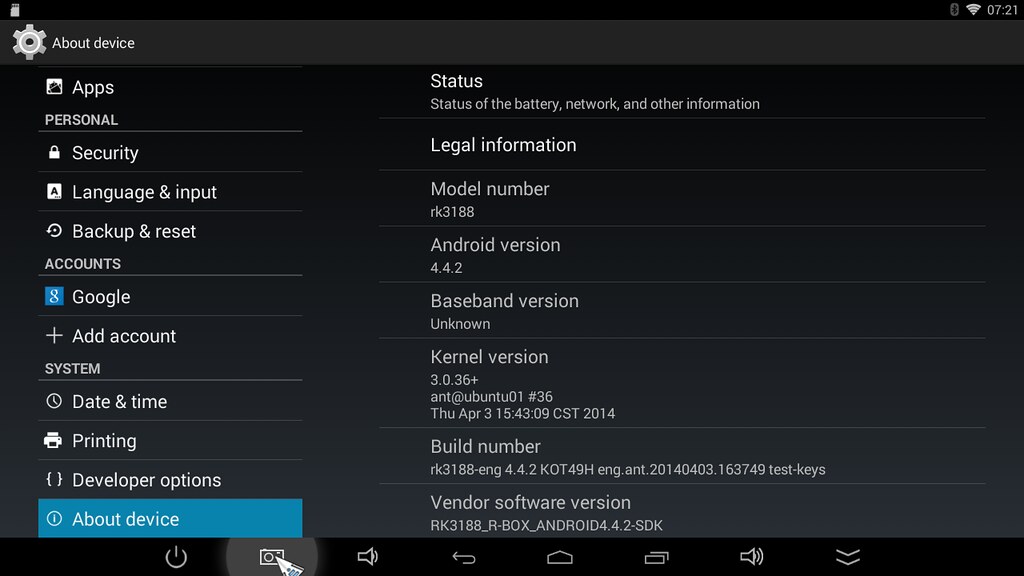
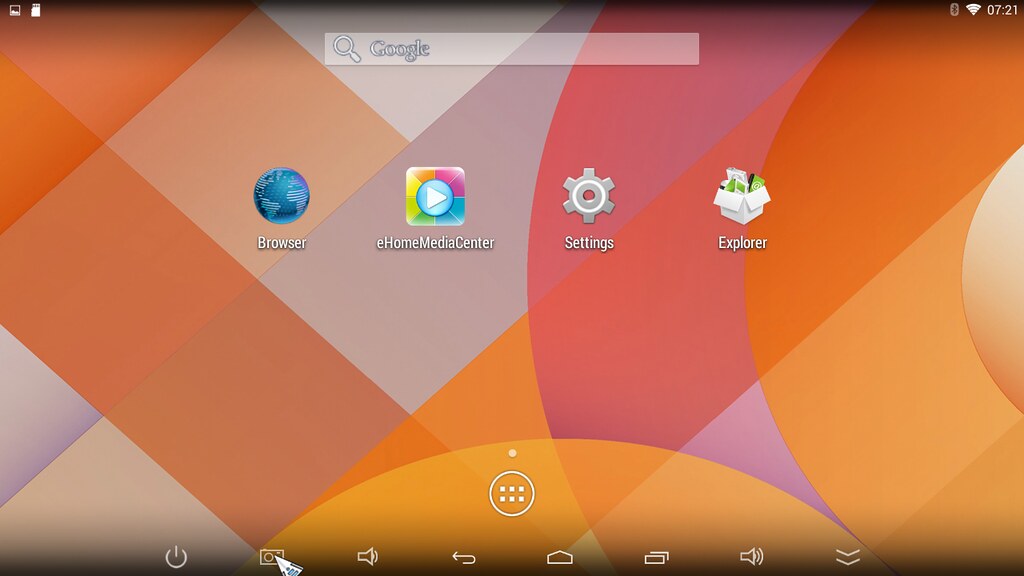
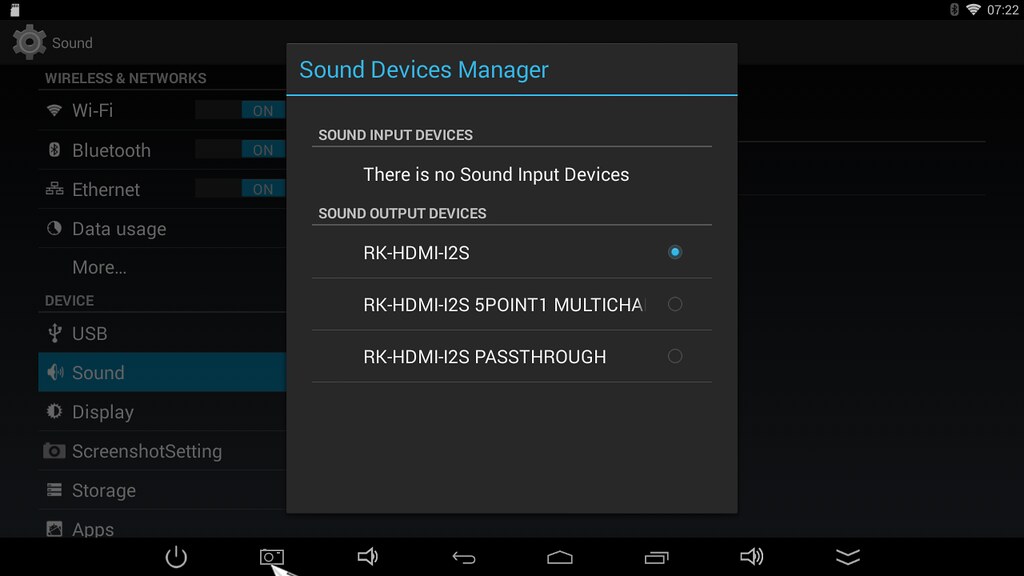
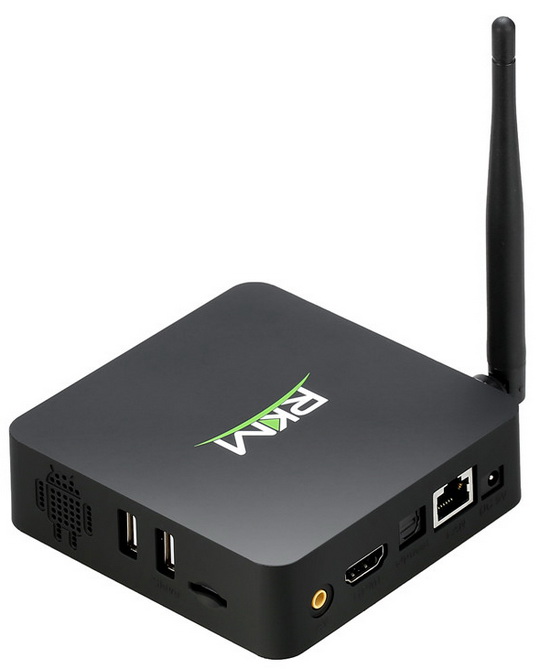
Photo Gallery: Android KitKat 4.4.2 installed on RKM MK902 TV Box


Download firmware from here.

About this firmware version
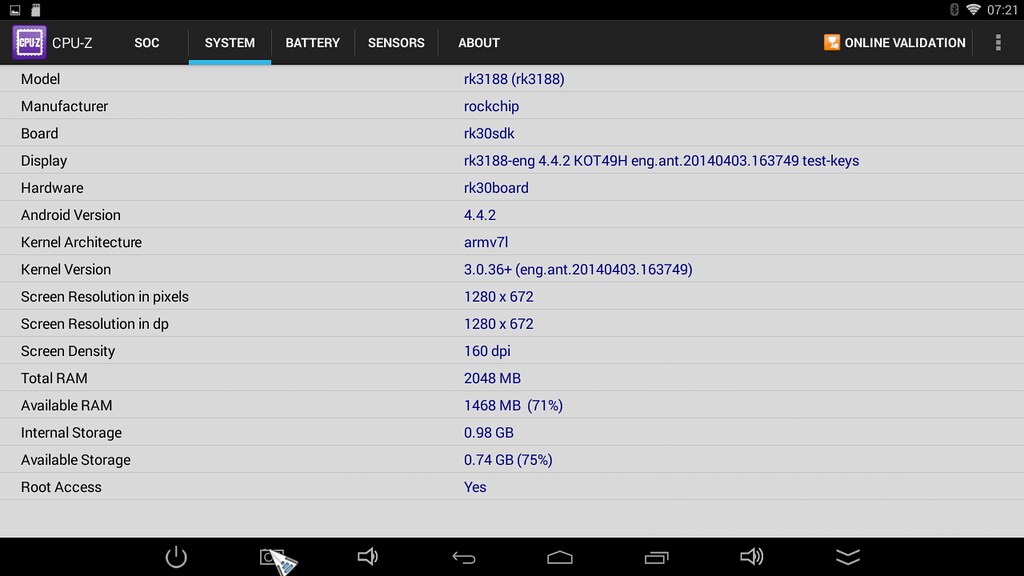
- Android KitKat 4.4.2
- Screen resolution: 1280 x 720 @ 60 Hz
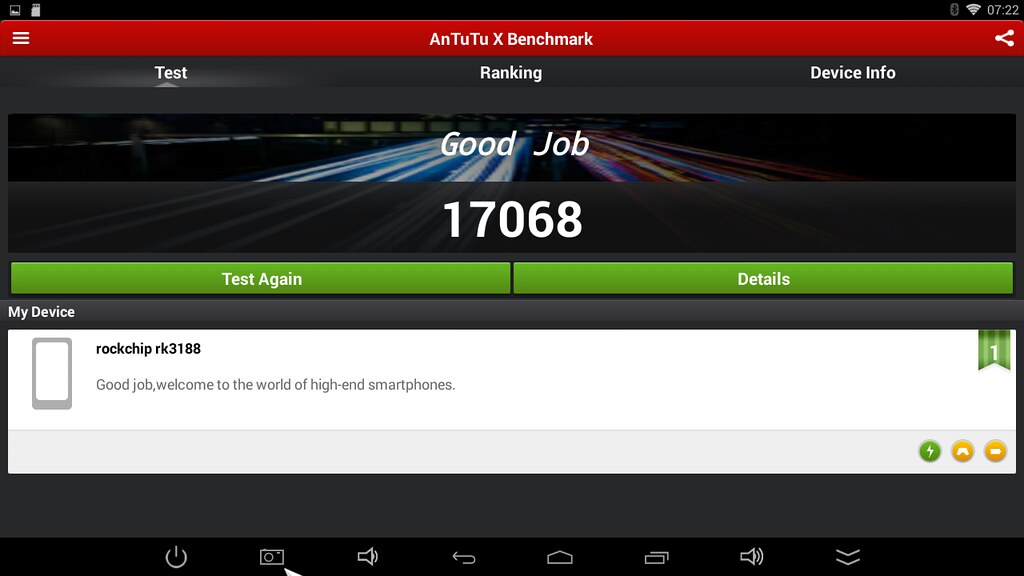
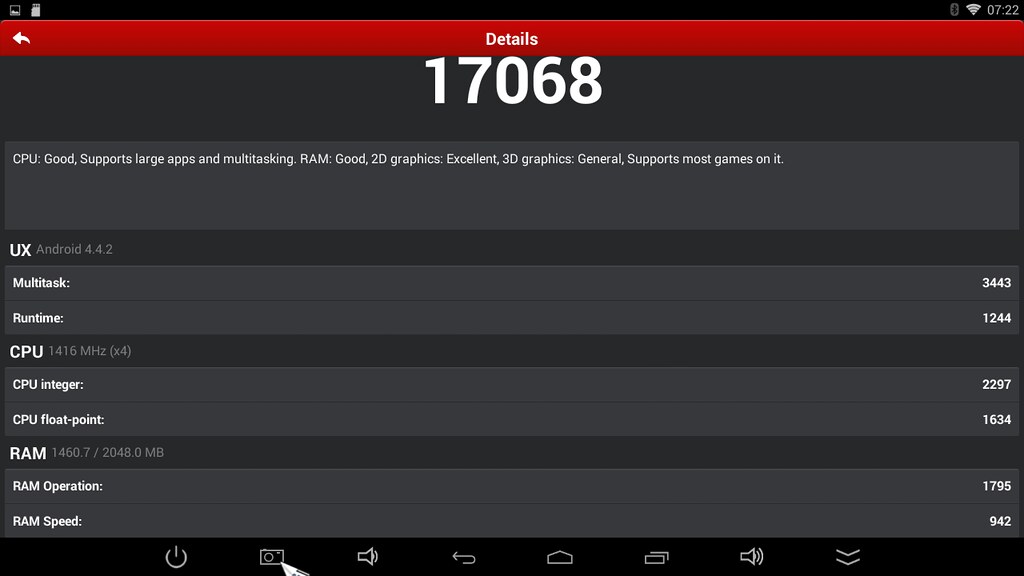
- Score in new Antutu Benchmark: 17.068 points;
- this firmware is not rooted;
- Kernel version: 3.0.36+
- Build number: rk3188-eng 4.4.2 KOT49H eng.ant.201404.03.163749 test-keys
- Boot version: 2.13
- Miracast support / WiFiDisplay app


Click on photos to enlarge.
https://www.flickr.com/photos/danyrolux/13399847494/in/photostream/
 https://farm3.staticflickr.com/2857/13643215645_8b63ff76e5_b.jpg
 https://farm8.staticflickr.com/7329/13643546464_74e7d2277b_b.jpg
 https://farm4.staticflickr.com/3732/13643232813_ff6bb52d01_b.jpg
 https://farm3.staticflickr.com/2922/13643233163_213e0ac8e7_b.jpg
 https://farm4.staticflickr.com/3755/13643545534_c2ffc942c0_b.jpg
 https://farm4.staticflickr.com/3745/13643213205_8c293df1d7_b.jpg
 https://farm8.staticflickr.com/7065/13643544744_cfaeb9f228_b.jpg
 https://farm4.staticflickr.com/3682/13643544404_b23410c40f_b.jpg
 https://farm4.staticflickr.com/3763/13643231233_acf558e8b4_b.jpg
 https://farm8.staticflickr.com/7168/13643547084_f622731819_b.jpg

Download Android KitKat 4.4.2 Firmware for RKM MK902


Download Android KitKat 4.4.2 for RKM MK902 - Android Jelly Bean 4.2.2 - from here, here or here. Here you have a photo gallery.

About this firmware version
- Android KitKat 4.4.2
- Screen resolution: 1280 x 720 @ 60 Hz
- Score in new Antutu Benchmark: 17.068 points;
- this firmware is not rooted;
- Kernel version: 3.0.36+
- Build number: rk3188-eng 4.4.2 KOT49H eng.ant.201404.03.163749 test-keys
- Boot version: 2.13
- Miracast support / WiFiDisplay app


Instructions

1. Download the firmware archive and extract it on desktop.
2. Second, connect MK902 to your computer. Prepare an USB cable (male USB to male USB cable); insert one USB port to computer usb host. Prepare also a thin metal stick; press the recover button like in the image below. Don’t loose the stick, at same time, insert the another USB port to the unit USB slave  port. After 3-5 seconds, loose the stick.


3. Install driver using RK Driver Assistant
4. Burn the image with Rockchip Batch Tool v1.7 using 'Restore' button.


This process will take about 4 minutes, please wait patiently, during recovery/upgrade, don’t remove the USB cable and don’t power off during updating or recovering. First reboot of the unit after recovery/update will take more long time than usual, and even occur some lag issue, it’s normal since internal apk files need to be decompressed and occupy RAM, after 5 minutes, then system will be running well. So don’t worry about that.

Amazon Fire TV


Amazon Fire TV is a tiny box you connect to your HDTV. It's the easiest way to enjoy Netflix, Prime Instant Video, Hulu Plus, low-cost movie rentals, and much more.

Size4.5" x 4.5" x 0.7" (115 mm x 115 mm x 17.5 mm)
Weight9.9 oz (281 grams)
SOC PlatformQualcomm Snapdragon 8064
ProcessorQualcomm Krait 300, quad-core to 1.7 Ghz
GPUQualcomm Adreno 320
Storage8 GB internal
Memory2 GB LPDDR2 @ 533 MHZ
Wi-Fi ConnectivityDual-band, dual-antenna Wi-Fi (MIMO) for faster streaming and fewer dropped connections than standard Wi-Fi. Supports public and private Wi-Fi networks that use the 802.11a/b/g/n standard with support for WEP, WPA and WPA2 security using password authentication
BluetoothBluetooth 4.0 with support for the following profiles: HID, HFP 1.6, SPP
Cloud StorageFree cloud storage for all Amazon content
Ports5.5 mm DC Jack
Type A HDMI 1.4b output, w/HDCP
Optical Audio (TOSLINK)
10/100 Ethernet
USB 2.0 Type A
AudioSupport for Dolby Digital Plus, 5.1 surround sound, 2ch Stereo and HDMI audio pass through up to 7.1
Content Formats SupportedVideo: H.263, H.264, MPEG4-SP, VC1
Audio: AAC, AC-3, E-AC-3, HE-A, PCM, MP3
Photo: JPG, PNG
Output Resolution Supported720p and 1080p up to 60fps
System RequirementsHigh-definition television, HDMI cable
TV CompatibilityCompatible with high-definition TVs with HDMI capable of 1080p or 720p at 60/50Hz, including popular models from these manufacturers: Hitachi, JVC, LG, Mitsubishi, NEC, Panasonic, Philips, Pioneer, Samsung, Sharp, Sony, Toshiba, Vizio, Westinghouse
Warranty and Service1-year Limited Warranty and service included. Use of Fire TV is subject to the terms found here.
Regional SupportCertain services may not be available outside the U.S.
Included in the BoxAmazon Fire TV
Amazon Fire TV remote
2 AAA batteries
Power Adapter
Quick Start Guide


The price of Amazon Fire TV is only $99.00 here.

RKM trademark was registered in United States


Last year RKM trademark was registered in EU. Last month Rikomagic trademark has been registered in Korea successfully.
It looks like RKM trademark has been successfully registered also in the United States.


Download Rockchip AndroidTool v2.1


Download Rockchip AndroidTool v2.1 from here, here and here.

Download new stock firmware 140401 for RKM MK602 TV Box


Download new stock firmware 140401 for RKM MK602 TV Box from here, here or here. Read here how to flash MK602 model.

You can read more details about RKM MK602 TV Box here and here.